Skip to content
Toc Toc AI

Quick actions

Appearance

HALLOWEEN AI VIDEO

Halloween AI Video Generator

Sometimes you do not have the right photo. You have an idea: a vampire dancing in a foggy hallway, a robot at a neon party, a witch in a candlelit library. Text mode turns that idea into a ten-second vertical video.

No upload is required. You describe the performer, costume, setting and camera move. The generator handles the rest and gives you a silent 720p MP4 that is ready for licensed audio.

No photo needed10-second vertical clipFree preview

Describe the scene in at least ten characters. The studio is pre-filled with a working Halloween prompt you can edit.

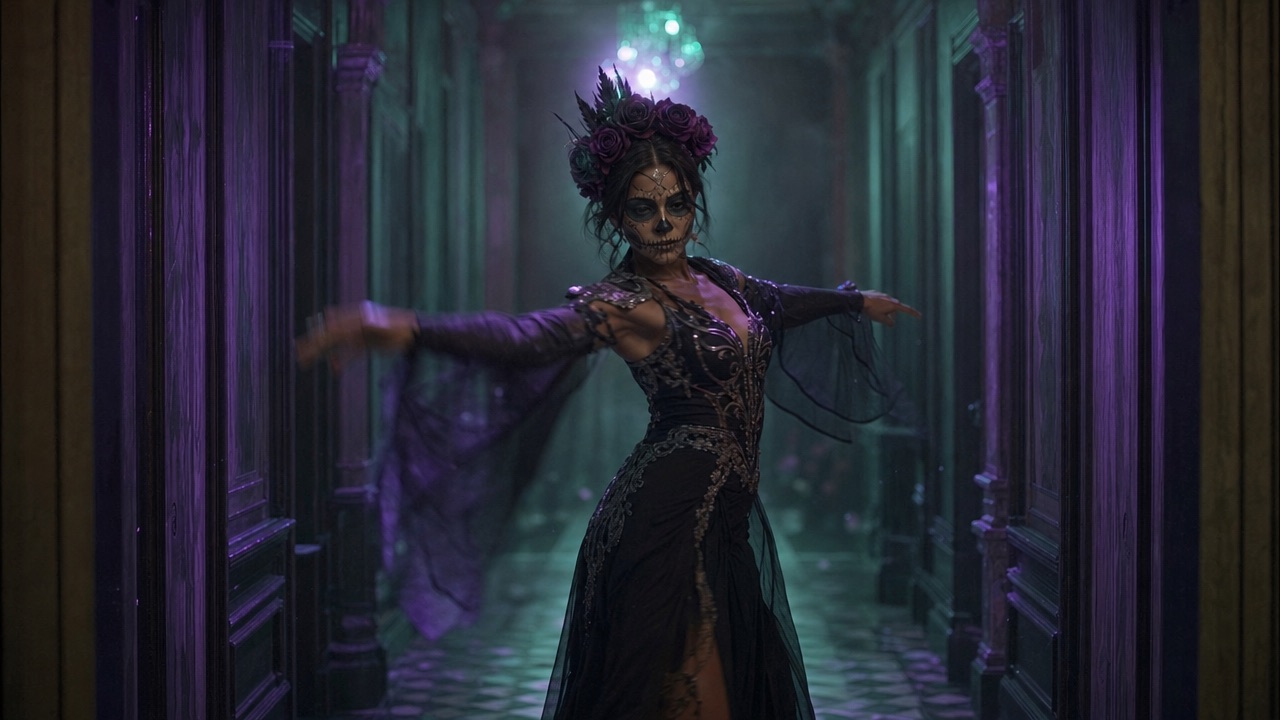
A fictional adult in an elegant Halloween costume dancing through a foggy hallway with cinematic lighting

Start from words

No camera, no model release, no photo upload. Your description is the input, which makes text mode the fastest way to test a concept.

Control the scene

Name the costume, the room, the light and one camera move. The prompt library gives you tested structures for each.

Publish-ready shape

A 9:16 vertical MP4 around ten seconds long. Add music in TikTok, Reels or Shorts so the audio licence matches your account.

How it works

  1. 01

    Pick a scene

    Start from one of the style pages or the prompt library. Each link opens the studio with text mode selected.

  2. 02

    Write five short parts

    Who, what, where, light and camera. Keep the costume to two or three concrete details.

  3. 03

    Generate a free preview

    Check that the performer reads as an adult, the costume is clear and the motion is stable.

  4. 04

    Unlock the MP4

    Buy a pack when the preview works, then add licensed audio and publish.

How text-to-video works here

Text mode sends your description to the same Seedance 2.0 pipeline used by photo mode. The output is still a dance clip with a fixed motion reference; the difference is that the performer and setting come from your words instead of a photo.

The description must be at least ten characters. Longer is not automatically better. A focused paragraph with a clear subject, costume, location, light and camera instruction usually beats a page of disconnected adjectives.

  • Subject: one adult performer
  • Costume: two or three concrete visual details
  • Location: hallway, garden, stage, observatory, studio
  • Light: warm, cool, hard flash, soft window light
  • Camera: slow push-in, static frame or gentle pan

The five-part Halloween prompt

Write one sentence per part. This keeps the prompt readable for the model and easy for you to edit when a result misses.

Example: A fictional adult in an original black velvet vampire costume with a high collar dances through a foggy candlelit hallway. Full body in frame. Slow camera push-in. Warm amber lantern light with deep shadows. Photorealistic editorial style, stable anatomy.

  • Who: a fictional adult performer
  • What: costume and one or two signature details
  • Where: a specific room or landscape
  • How it looks: lighting, palette, realism
  • How it moves: one camera instruction

Eight scenes that suit the ten-second format

Short clips work best when the idea is legible in the first second. Choose a scene with a strong silhouette and one clear motion.

These ideas are original descriptions, not recreations of specific films or music videos.

  • A haunted unicorn mascot swaying in a foggy room
  • A celestial princess turning under a starry observatory dome
  • A wearable robot testing its joints in a neon studio
  • A Victorian occult host welcoming guests in a candlelit hall
  • A skeleton-glam dancer under a single smoky spotlight
  • A pumpkin-headed scarecrow moving through a cornfield at dusk
  • A ghost bride drifting through a abandoned ballroom
  • A disco vampire dancing under a mirror ball

What to leave out of the prompt

Do not ask for a real celebrity, a named actor's face, a copyrighted character costume or a scene that copies a specific film frame. The model may refuse, and publishing it can create a rights problem.

Do not ask for children, pets, nudity, violence or anything that requires a real person's consent. The site screens prompts before generation and can reject a request.

  • No real-person likeness or celebrity names
  • No exact film, game or brand costume
  • No minors, pets or two-person templates
  • No graphic violence or sexual content

Preview, unlock and publish

Your first watermarked preview is free. Watch the motion and the costume read before you spend. If the scene is close but not right, edit one part of the prompt rather than rewriting everything.

The full file is a silent 720p MP4. Add licensed music, use the platform's AI label, and keep the master file. One-time credits never expire, so you can save a pack for Christmas or Valentine's videos later.

  • Free preview: one per account, watermarked
  • Full file: 720p MP4 after purchase
  • Audio: add licensed music separately
  • Label: mark realistic AI video on the platform
Try it yourself

Describe the scene in at least ten characters. The studio is pre-filled with a working Halloween prompt you can edit.

Make your Toc Toc AI dance video

Describe a ten-second vertical dance scene. Seedance 2.0 creates it from your words alone.

Only selected results appear in our gallery after review. Your input remains private.

$9.90/ 1 video

50 credits · 10 seconds

One-time packs and subscriptions are available. Failed jobs return their credits.

Your videos

Upload a photo or describe a scene, then create your video.

Questions people ask

Do I need a photo for the Halloween AI video generator?

No. Text mode works from a description alone. You only need a photo if you want a specific person in the result.

How long is the video?

About ten seconds, in a vertical 9:16 frame at 720p. The file is silent.

Can I make a video with a famous character?

No. We do not accept prompts that ask for a copyrighted character costume or a real person's likeness. Describe an original costume inspired by the visual idea instead.

What does it cost?

One free watermarked preview, then one-time packs from $9.90 for one video. Three videos are $19.90 and five are $29.90. The monthly plan is $29.90 for ten videos.

Why is the video silent?

A silent file lets you choose audio that is licensed for your account and region. Add music inside TikTok, Reels or your editor before publishing.

Related pages

Guides that go deeper

All guides

Share this page

This page describes an AI video tool. Generated performers are fictional. Do not use the tool to impersonate a real person or to reproduce a copyrighted costume.

Updated October 20, 2026