Skip to content
Toc Toc AI

Quick actions

Appearance

PHOTO TO VIDEO

Halloween Photo to Video

You already have the costume photo. What you need is motion. This page turns one still image into a ten-second vertical dance clip while keeping the person from the photo as the visual anchor.

It is the fastest way to make a Halloween post when you do not have a videographer, a studio or a second person to hold the camera. One photo in, one silent 720p MP4 out.

One photo in10-second MP4Free preview

Upload one photo of a consenting adult. The free preview is watermarked; the full 720p MP4 unlocks after purchase.

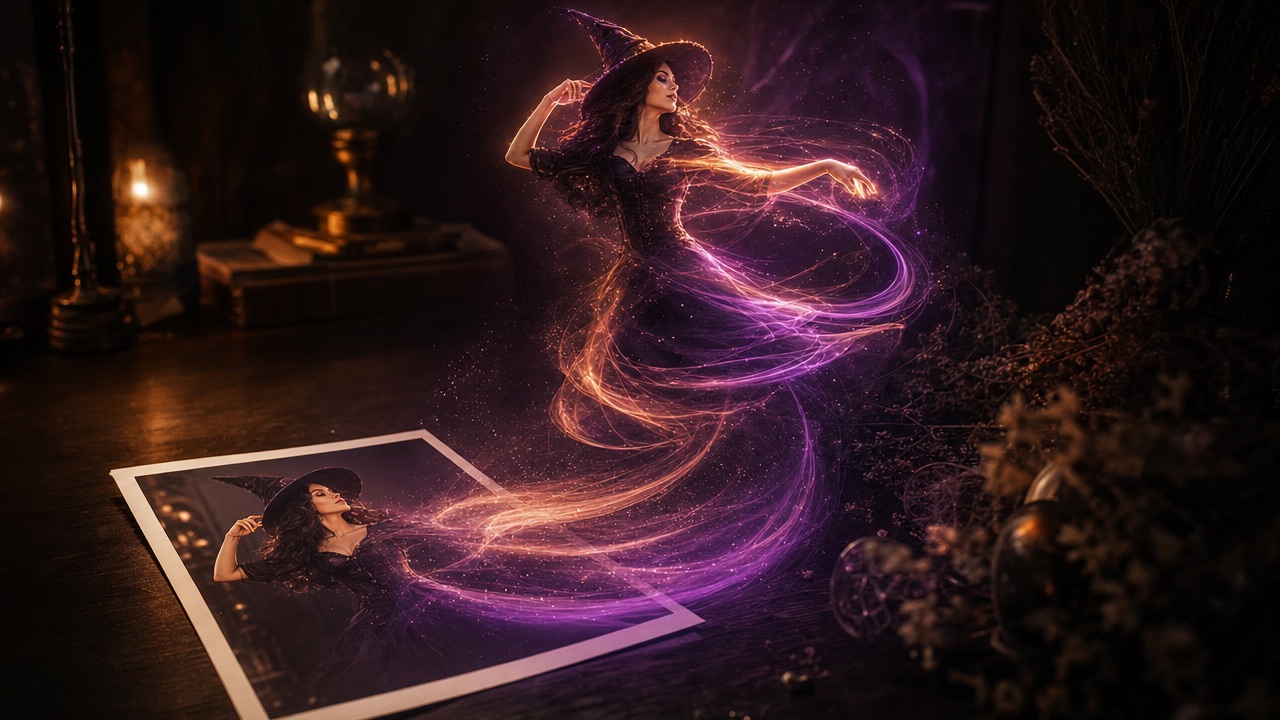
A printed Halloween portrait dissolving into glowing motion trails that form a dancing silhouette

Keep the person

The photo guides the face and appearance. A licensed hallway clip guides the dance movement, so you do not need to film a reference.

Add a costume direction

Describe the look and the atmosphere in one short paragraph. The model uses it alongside the photo.

Publish in a vertical frame

The result is a 9:16 MP4 around ten seconds long, sized for TikTok, Reels and Shorts.

How it works

  1. 01

    Choose a clear photo

    One consenting adult, face visible, JPG, PNG or WebP, up to 10 MB.

  2. 02

    Add a short direction

    Say what to keep, what to change, where the scene is and how the light looks.

  3. 03

    Create the free preview

    Check the face, the motion and the background before you unlock the file.

  4. 04

    Download and publish

    Unlock the 720p MP4, add licensed audio and use the AI content label.

What changes and what stays

The person stays. The photo is the appearance reference, so the result is built around the face you uploaded rather than a random model. The motion comes from a fixed licensed dance reference.

The background, lighting and costume details can change depending on the direction you write. If you want the original outfit and room, say so. If you want a new scene, describe it.

  • Stays: the person's likeness as interpreted by the model
  • Changes: motion, atmosphere and any directed costume details
  • Output: silent 720p vertical MP4
  • Not supported: pets, children, two-person templates

Photo requirements

One consenting adult, face clearly visible, JPG, PNG or WebP up to 10 MB. A plain background and even lighting give the model the cleanest starting point.

Avoid group photos, heavy filters, sunglasses that hide the eyes and extreme angles. If the photo is blurry, the model has less information to preserve the face.

  • Face fills a useful part of the frame
  • Eyes visible, expression neutral or natural
  • No strong coloured light across the face
  • Permission from everyone shown

Writing the direction

Use the same four-part structure as the costume generator: keep, change, scene, light. For a photo-to-video page, the keep line matters most because the photo already carries the person and outfit.

Example: Keep my face, glasses and outfit. Add soft fog and warm pumpkin light. Place me in a garden at night. Use a realistic editorial look with stable anatomy.

  • Keep: face, glasses, hair, outfit
  • Change: background, weather, light
  • Scene: garden, hallway, studio, stage
  • Light: warm, cool, candle, moonlight

How long it takes

Generation is asynchronous. A tested standard generation took about ten minutes, but queue time varies with load. You can leave the page and return to My videos; completion emails are not sent.

Only one generation runs per account at a time. If a generation fails, the reserved credits are returned automatically.

  • Plan for several minutes, not seconds
  • Keep the tab or return later
  • One active generation per account
  • Failed jobs return credits

Preview first, then unlock

The first preview is free and watermarked. It is a real generation, so you can judge the motion before paying. If the face or costume is wrong, change one line of the direction and try again.

The full MP4 is unlocked with a one-time pack or a plan. One video is $9.90, three are $19.90, five are $29.90, and the monthly plan is $29.90 for ten videos.

  • Free watermarked preview
  • Full 720p MP4 after purchase
  • One-time credits never expire
  • Failed generations return credits

Try it yourself

Upload one photo of a consenting adult. The free preview is watermarked; the full 720p MP4 unlocks after purchase.

Make your Toc Toc AI dance video

Your photo guides the appearance. The source clip guides the hallway movement.

Upload one photo

JPG, PNG or WebP · up to 10 MB

Choose a well-lit photo of one consenting adult. JPG, PNG or WebP; up to 10 MB.

Dance reference
What should change?
Extra direction (optional)

Only selected results appear in our gallery after review. Your input remains private.

$9.90/ 1 video

50 credits · 10 seconds

One-time packs and subscriptions are available. Failed jobs return their credits.

Your videos

Upload a photo or describe a scene, then create your video.

Questions people ask

Can I turn any photo into a dance video?

Use a clear photo of one consenting adult. Group photos, pets and children are not supported by the current template.

Will the video keep my face?

Image mode uses your photo as the appearance reference and aims to keep the person recognisable. AI generation can still change details.

How long is the finished video?

About ten seconds, vertical 9:16, 720p, silent. Add licensed audio before publishing.

How much does it cost?

The first watermarked preview is free. Full files start at $9.90 for one video. Three are $19.90 and five are $29.90.

What if the generation fails?

Failed generations return their reserved credits. You can retry or contact support if the problem continues.

Related pages

Guides that go deeper

All guides

Share this page

AI motion can change facial details and body movement. The result is an interpretation, not a guarantee of an exact likeness or an exact costume.

Updated October 20, 2026