Why text-to-video is the fastest Halloween test
Not every idea starts with a photo. Sometimes you have a scene in your head: a vampire dancing through a candlelit hallway, a robot testing its joints in a neon studio, a ghost bride drifting through an abandoned ballroom. A Halloween AI video generator with a text mode lets you test that scene without a camera, a model release or a costume.
Toc Toc AI added text mode alongside photo mode for exactly this reason. You describe an adult performer, a costume, a location, a light palette and one camera move. The generator produces a roughly ten-second vertical MP4 at 720p. The file is silent, so you add licensed audio before publishing.
Text mode is not a replacement for photo mode. It is a different tool for a different job. Use photo mode when the person matters. Use text mode when the scene matters, when you do not have the right photo, or when you want to test a concept before spending money on a costume.
What the output actually is
The generator uses Seedance 2.0 through Kie AI and a fixed, licensed hallway dance reference. The output is:
- About ten seconds long.
- 720p resolution.
- 9:16 vertical, sized for TikTok, Reels and Shorts.
- Silent, with no music or voiceover.
- Delivered as an MP4 after a paid unlock.
The first watermarked preview is free. It is a real generation, so you can judge the motion before you pay. A one-time pack starts at $9.90 for one video; three are $19.90 and five are $29.90. The monthly plan is $29.90 for ten videos. Failed generations return their reserved credits.
Only one generation runs per account at a time. A tested standard generation took about ten minutes, but queue time varies. You can leave the page and return to My videos; completion emails are not sent.
The five-part Halloween prompt
The prompt structure is deliberately boring. Boring prompts are easier to edit, and editing is where quality comes from.
- Who. A fictional adult performer. Say fictional and adult to keep the request inside the tool's safety rules.
- What. A costume with two or three concrete details. Black velvet, a high lace collar, silver rings. Not "a scary vampire outfit".
- Where. One location. A foggy hallway, a moonlit garden, a neon studio, a candlelit library.
- Light. One palette and one source. Warm amber lanterns, cool moonlight, hard flash, soft window light.
- Camera. One move. Slow push-in, static frame, gentle orbit. Do not ask for cuts.
A complete prompt looks like this:
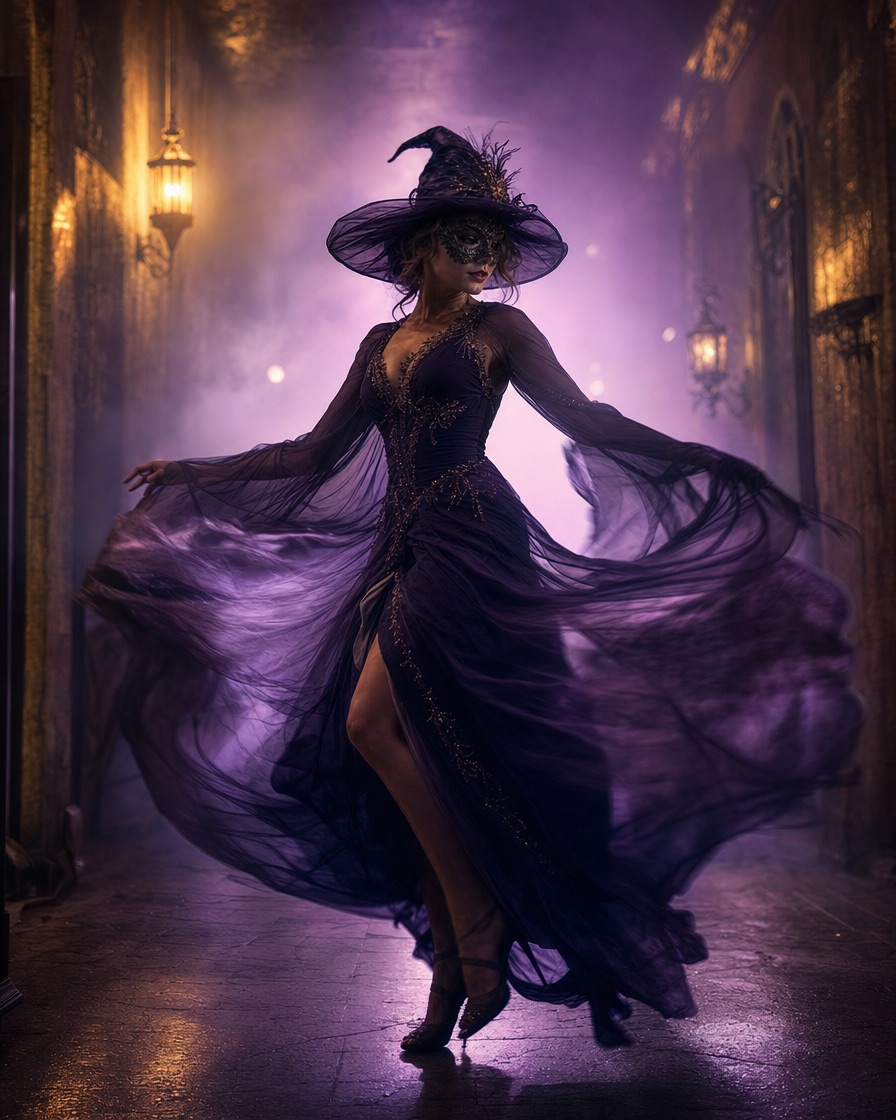
A fictional adult in an original black velvet vampire costume with a high lace collar dances through a foggy candlelit hallway, full body in frame, slow camera push-in, warm amber lantern light with deep shadows, photorealistic editorial style, stable anatomy, no text, no watermark.
That prompt has a subject, a costume, a scene, a light and a camera instruction. It also has two negative instructions. That is enough for a ten-second clip.
Eight scenes that fit ten seconds
A short clip works when the idea is legible in the first second. Choose a strong silhouette and one clear action.
1. The haunted mascot sway
A plush unicorn mascot in a foggy room, swaying slowly with a head tilt. The heavy head gives the motion a natural rhythm. Keep the costume original; do not ask for a film character.
2. The celestial turn
A midnight-blue gown with glowing star embroidery, a small moon crown, a slow turn inside a moonlit observatory. The glow gives the camera something to follow.
3. The robot joint test
A wearable robot costume with metal panels and blue LEDs, a slow arm raise in a neon studio. The key is a visible human face and a costume, not a full robot replacement.
4. The Victorian host
A high lace collar, silver rings and a slow welcoming gesture in a candlelit library. This one works because the details are small and specific.
5. The skeleton spotlight
Silver skeleton makeup, a black fitted costume and a single smoky spotlight. High contrast survives video compression better than a busy background.
6. The pumpkin scarecrow
Straw textures, a burlap hood and a cornfield at dusk. The scene is simple and the silhouette is unmistakable.
7. The ghost bride
A veil, a pale dress and an abandoned ballroom. Ask for drifting motion rather than a fast dance; it suits the character.
8. The disco vampire
A mirror ball, a satin suit and fast footwork. This is the hardest to control because the motion is quick. Keep the camera static and the background simple.
What to leave out of the prompt
Do not ask for a real celebrity, a named actor's face, a copyrighted character costume or a scene that copies a specific film frame. The model may refuse, and publishing the result can create a rights problem.
Do not ask for children, pets, nudity, graphic violence or anything that requires a real person's consent. The tool is built for one consenting adult performer. The site screens prompts before generation and can reject a request.
Avoid long lists of unrelated adjectives. "Dark, moody, cinematic, scary, elegant, glowing, mysterious, epic" gives the model eight directions and no hierarchy. Pick two.
Photo mode versus text mode
Use photo mode when you want your own face or a specific person. Upload one JPG, PNG or WebP up to 10 MB. The photo guides the appearance; the direction describes the costume and scene.
Use text mode when you want a fully generated performer, when you do not have a suitable photo, or when you want to test a scene quickly. Text mode is also the better choice for a full mascot head or a costume that covers the face, because there is no face to preserve.
Both modes share the same output format and the same fixed dance reference. The difference is the input, not the delivery.
Publishing the clip without losing the account
The MP4 is silent. Add music from the platform's licensed library, or use audio you own. Do not add the viral original track unless you have the rights for your account and region.
TikTok, Instagram and YouTube ask creators to label realistic AI-generated content. Use the platform's AI label and keep a short caption that explains the video is AI-generated. It protects trust and takes two taps.
Keep the original MP4 as your master file. If you post a series, keep a consistent caption format and one visual anchor so the clips feel related. A series of three clips with the same palette and different scenes is easier to recognise than ten unrelated videos.
A practical workflow
- Pick a scene from the Halloween AI video generator page.
- Copy the prompt into the studio or start from the pre-filled version.
- Generate the free preview.
- Change one variable if the result is close.
- Unlock the MP4.
- Add licensed audio and the AI label.
- Save the prompt next to the result so you can reuse it.
The prompt is the asset. A good prompt can be adapted for Christmas, New Year or Valentine's content by changing the costume and the light, which is why one-time credits are useful beyond October.
Pricing without surprises
The first watermarked preview is free. Full files start at $9.90 for one video. Three videos are $19.90 and five are $29.90. The monthly plan is $29.90 for ten videos per billing month.
One-time credits do not expire. Monthly allowances reset each billing cycle. Failed generations return their reserved credits. The pricing page is the source of truth; this article is a guide, not a contract.
Frequently asked questions
Do I need a photo for the Halloween AI video generator?
No. Text mode works from a description alone. You only need a photo if you want a specific person in the result.
How long is the video?
About ten seconds, vertical 9:16, 720p, silent.
Can I make a video with a famous character?
No. The tool does not accept prompts for a copyrighted character costume or a real person's likeness. Describe an original costume inspired by the visual idea instead.
What does it cost?
One free watermarked preview, then one-time packs from $9.90 for one video. Three videos are $19.90 and five are $29.90. The monthly plan is $29.90 for ten videos.
Why is the video silent?
A silent file lets you choose audio that is licensed for your account and region. Add music inside TikTok, Reels or your editor before publishing.
Can I use the video commercially?
You can use the generated file subject to the terms and the rights you hold in the source photo and audio. Do not imply that a real person or brand endorses your product.
Start with the Halloween AI video generator, paste one of the scenes above and generate a free preview. If the scene is close but not right, change the light first; it is the variable that changes the mood fastest.
Try the tool from this guide
One free watermarked preview per account. Full 720p MP4 after purchase. Failed generations return credits.
Make your Toc Toc AI dance video
Your photo guides the appearance. The source clip guides the hallway movement.
JPG, PNG or WebP · up to 10 MB
Choose a well-lit photo of one consenting adult. JPG, PNG or WebP; up to 10 MB.
Extra direction (optional)
Only selected results appear in our gallery after review. Your input remains private.
$9.90/ 1 video
50 credits · 10 secondsOne-time packs and subscriptions are available. Failed jobs return their credits.
Your videos
Upload a photo or describe a scene, then create your video.
Toc Toc AI
Toc Toc AI editorial team · Source and publishing references