Before you pay for either tool, watch the sample. Toc Toc AI shows a public sample and the licensed source dance before you upload anything, and an eligible verified account can request one free watermarked preview when the trial is open. The full 720p MP4 is unlocked with a credit pack or plan. Failed generations return their reserved credits.
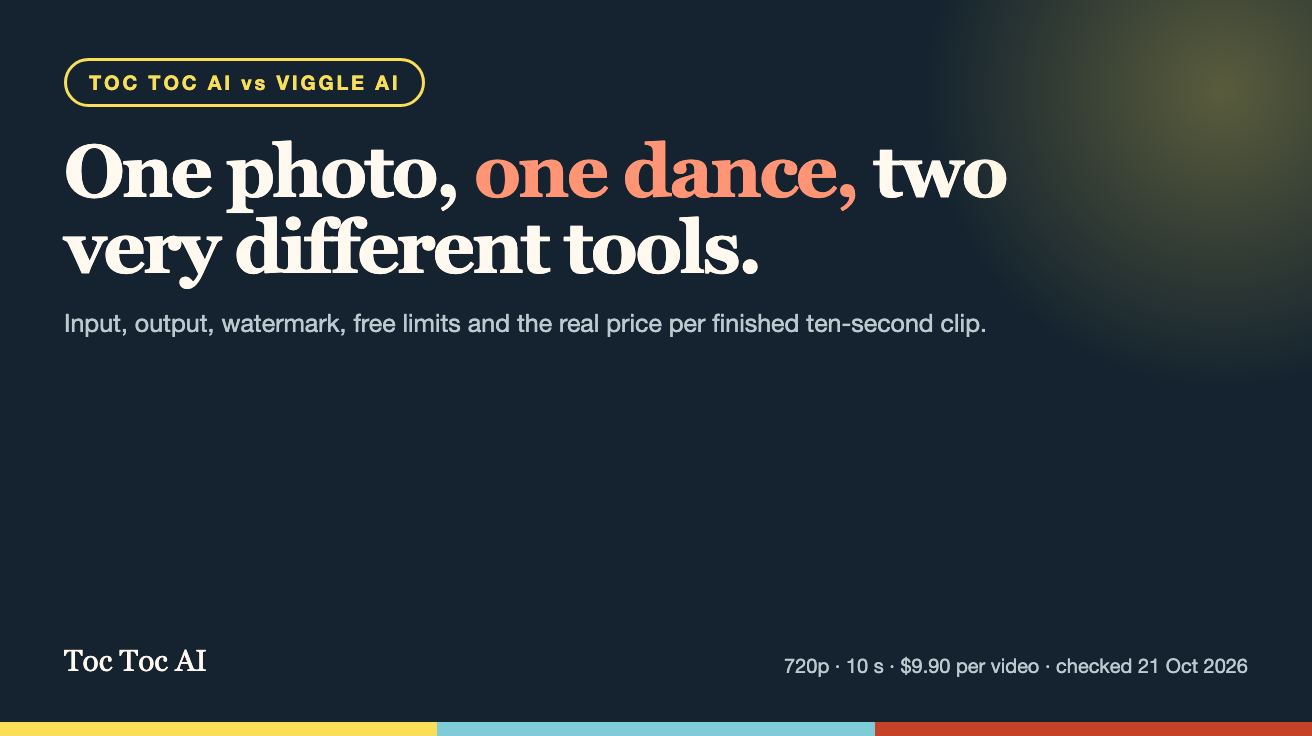
Toc Toc AI and Viggle AI both promise a dance video from a still photo, but they are not the same product. Toc Toc AI is a single-purpose tool: one photo in, one fixed ten-second hallway dance out. Viggle AI is a broader character-animation platform with template-driven motion, character swapping, longer live sessions and a subscription catalogue. This comparison uses each company's own published pages, checked on 21 October 2026, and separates what is published from what is simply not stated.
Quick answer
- Choose Toc Toc AI if you want the specific hallway dance from one photo, a silent 720p vertical MP4 of about ten seconds, and a one-time price you can see before you start. The full file is $9.90 for one video, or $5.98 per video in the five-video pack.
- Choose Viggle AI if you need many different motions, several characters in one scene, a free daily allowance, or a video-to-video workflow rather than a single fixed template. Its free plan advertises 5 free videos per day; paid plans start at $7.99 per month for 80 credits.
- Do not choose either if you need a video longer than about ten seconds with synced audio, or if you need frame-level editing inside the same tool. Neither page describes that.
What each tool accepts
Toc Toc AI accepts one photo of a consenting adult in JPG, PNG or WebP format, up to 10 MB. That photo is used as the appearance reference. The movement reference is a licensed Mixkit hallway dance clip of roughly 9.4 seconds, and the render runs on the Seedance 2.0 model (bytedance/seedance-2). There is no video upload, no second photo, and no custom motion reference.
Viggle AI is built around its Meme Maker and character tools. The public site describes Mix, Multi-Editor and Live modes, an API that creates a character from a photo (POST /v1/characters) and starts a render with a motion template, and PINOC, which turns a phone video clip into 3D character motion. The homepage does not publish a template catalogue, supported photo formats, or a maximum upload size. Its pricing page does publish an upload cap per plan: 1 minute on Free, 10 minutes on every paid plan.
Neither page states a required number of people per photo. Toc Toc AI is explicit that only one performer is supported. Viggle's Multi-Editor and Live modes are described as multi-character, but the exact cast limit per render is not published on the pages reviewed.
What you get back
This is where the two products diverge most, and where most comparison articles guess. Here is what is actually published.
| Item | Toc Toc AI | Viggle AI |
|---|---|---|
| Output length | About 10 seconds | Not stated on the pricing or homepage |
| Resolution | 720p | Not stated on the pricing or homepage |
| Aspect ratio | 9:16 vertical | Not stated |
| Audio | Silent MP4; you add licensed music yourself | Not stated |
| Watermark | Watermarked on the free preview; no watermark after purchase | Free tier: watermark removal not included; paid plans advertise "No watermark" |
| Motion source | One fixed licensed hallway dance | Template-driven motion; catalogue not published |
| Model | Seedance 2.0 | Viggle's own JST-2 platform; Live and Max plans also unlock Seedance |
| Storage | Account library; download after purchase | Free: 7-day storage; paid: permanent storage |
| Processing time | About 10 minutes in a tested standard render; queue varies | Not stated |
| Concurrency | One generation per account at a time | Pro 4, Live 6, Max 10 at once |
The resolution and duration gap matters for planning. If a platform does not publish them, you cannot promise a client a 1080p deliverable before you test the tool yourself. Toc Toc AI publishes 720p and ten seconds because that is the only thing it makes.
Price per finished clip
Toc Toc AI sells credits at a fixed rate: every default video costs 50 credits, and the pricing page shows the USD amount before checkout.
| Toc Toc AI offer | Price | Videos | Price per video |
|---|---|---|---|
| One video | $9.90 | 1 | $9.90 |
| Three videos | $19.90 | 3 | $6.63 |
| Five videos | $29.90 | 5 | $5.98 |
| Monthly plan | $29.90/month | 10 per month | $2.99 |
| Yearly plan | $100/year | 34 per year | $2.94 |
Viggle AI publishes subscriptions rather than a price per render:
| Viggle AI plan | Published price | Credits per month | What the page adds |
|---|---|---|---|
| Free | $0 | 0 | 5 free videos per day; 1 generation at a time; 7-day storage |
| Pro | $7.99/month (crossed-out $9.99) | 80 | 4 at once; no watermark; all models except Seedance |
| Live | $15.99/month (crossed-out $19.99) | 200 | 6 at once; Seedance included; 6+ hour swap sessions |
| Max | $63.99/month (crossed-out $79.99) | 800 | 10 at once; unlimited swap; Seedance included |
The Viggle pricing page reviewed does not say how many credits one video render consumes, so a true price per clip cannot be calculated from public information. Yearly billing is advertised at 20% off; the page does not print the annual totals. If cost per finished clip is the deciding factor, ask support how many credits a ten-second dance render uses before you subscribe.
One more arithmetic point: Toc Toc AI's monthly plan is 10 videos for $29.90, the same list price as the five-video pack. If you need more than five clips in a month, the monthly plan is cheaper per clip even before the yearly option.
Free tiers compared
Viggle AI's free plan is the more generous trial on paper: 5 free videos per day, one generation at a time, 7-day storage, and watermark removal not included. That is a real daily allowance and it renews, which makes Viggle the better tool for testing many motions before paying.
Toc Toc AI's free path is narrower by design: one watermarked preview for an eligible verified account when the trial is enabled and daily capacity is available. The trial exists so you can see the specific hallway result, not so you can produce a week of content for free. The trade is transparency: the price of the full file is shown before you generate, and a failed generation returns its credits.
If your goal is "try ten different dance styles this week", Viggle's free tier fits better. If your goal is "make this one hallway dance and know exactly what the file costs", Toc Toc AI's model is simpler.
Where Viggle AI is the stronger choice
- Variety of motion. Viggle advertises templates, character swapping and multi-character scenes. Toc Toc AI has exactly one movement reference. If the hallway dance is not the video you need, Toc Toc AI is the wrong tool.
- Free daily practice. Five free videos per day beats a single preview when you are learning what prompts and photos work.
- Video input. PINOC turns a phone video into character motion. Toc Toc AI does not accept video at all.
- Concurrent renders. Paid Viggle plans run 4, 6 or 10 generations at once. Toc Toc AI runs one per account.
- Developer access. Viggle documents an API for creating a character and submitting a render. Toc Toc AI's public pages describe a web studio, not an API for third-party apps.
- Longer working sessions. Live mode is sold with 6+ hour swap sessions; Toc Toc AI's output is a single ten-second clip.
Where Toc Toc AI is the stronger choice
- One predictable output. Every render is the same format: ten seconds, 720p, 9:16, silent. That predictability is useful when you are producing a batch for one trend and do not want to re-test settings each time.
- Published price per video. $9.90 for one, falling to $5.98 at five and $2.99 on the monthly plan. You can budget a batch without guessing credit consumption.
- One-time packs. The one, three and five-video packs do not renew. Viggle's paid entry is a subscription, even when discounted.
- Photo-only workflow. No video capture, no motion clip to source, no editing timeline. Upload, wait, download.
- Credits come back on failure. A failed generation returns its reserved credits, which is stated on the pricing page.
- Same balance for stills. The account also generates images (12 credits for a Standard 2K image, 20 for HD 2K, 31 for a 4K poster), which is useful for thumbnails and covers around the video.
The fixed-template trade-off
A single motion reference is both the product and its limit. Because Toc Toc AI uses one licensed hallway clip, every output shares the same choreography and camera framing; only the person changes. That is exactly what a trend video needs, and exactly what a brand campaign usually does not.
Viggle's flexibility comes with the opposite problem: more modes, more settings, more ways for a render to look different from what you imagined. Its pages also leave output resolution and duration unpublished, so you have to test before you can promise a format.
Neither approach is better in general. Match the tool to the deliverable: one trend clip, or a library of different motions.
Who Toc Toc AI is for
- Creators joining the hallway dance trend who have a good photo and no footage.
- Small teams that need a fixed, repeatable format for a batch of ten-second vertical clips.
- Buyers who want a one-time price and no subscription.
- People who will add their own licensed music in TikTok, Reels or an editor.
Who Toc Toc AI is not for
- Anyone who needs a different dance, a custom motion reference, or more than one performer.
- Anyone who needs audio inside the generated file. The MP4 is silent.
- Anyone who needs 1080p or 4K output, or a clip longer than about ten seconds.
- Anyone who needs an API, a batch queue, or several renders at once.
- Anyone who wants to edit the result frame by frame inside the same product.
Other routes worth pricing
Two other published options show how wide the market is. They are not direct substitutes for a single fixed dance, but they matter if you are comparing cost per clip.
| Tool | Published offer (checked 21 Oct 2026) | What it means in practice |
|---|---|---|
| BasedLabs | One-time packs: 300 credits for $10 (about 10 short videos by its own estimate), 900 for $29 (about 30 videos), up to 16,500 for $499. "All AI models included" and "Commercial use included". | The lowest published estimate is roughly $1 per short video, but the estimate covers mixed models and lengths, not one fixed 10-second dance. No watermark policy is stated. |
| Runway | Free: 125 credits once. Standard $15/month (625 credits, 5 parallel generations, "No watermarks", 4K upscaling); Pro $35/month (2,250 credits); Max $95/month (9,500 credits). | A general video platform with far more editing control. It does not publish a dance-template price per render, and commercial-use terms are not stated on the pricing page. |
| DomoAI | Free plan with credits; motion transfer by uploading a motion clip; image generation up to 4K. | Another route to motion transfer, but the homepage publishes no prices or credit amounts, so you must open the plan page before comparing. |
The honest summary: Toc Toc AI is the most expensive per finished clip among these options, and the only one that publishes exactly what the clip will be. Viggle is the cheapest way to experiment daily. BasedLabs is the cheapest published estimate per short video, with the least certainty about what that video will look like.
How to choose in 30 seconds
- Is the hallway dance the exact video you need? If yes, use Toc Toc AI. If no, use Viggle or DomoAI and pick a motion.
- Do you need audio in the file? Neither tool promises it. Plan to add licensed music in the platform where you publish.
- Do you need more than one clip this week? Compare the five-video pack ($29.90) and the monthly plan (10 videos for $29.90) before buying the single.
- Do you need 1080p or a longer clip? Neither Toc Toc AI nor the reviewed Viggle pages publish that capability. Test before promising it.
- Are you selling the output to a client? Check each tool's terms directly. Viggle's pricing page does not state commercial-use rights; BasedLabs states "Commercial use included"; Toc Toc AI's pages describe personal and commercial use of the file you paid for, subject to the rights you hold in the uploaded photo.
What to verify before paying
- Watermark: Toc Toc AI removes it when you buy the full file; the free preview keeps it. Viggle's free plan excludes watermark removal.
- Storage: Viggle's free plan keeps videos for 7 days. Toc Toc AI's paid files are downloadable from the account; download them rather than relying on a library.
- Refunds and failures: Toc Toc AI returns credits for failed generations and asks you to contact support for payment refunds. Viggle's pricing page does not describe a refund policy.
- Rights in the photo: Both tools animate a person's likeness. Only upload a photo of a consenting adult, and keep proof of permission if you publish commercially.
- Music: The Toc Toc AI output is silent. The source dance clip and the viral original sound are not included.
Sources
All competitor figures were read from public pages on 21 October 2026:
- Viggle AI pricing: https://viggle.ai/pricing
- Viggle AI homepage (Meme Maker, PINOC, API): https://viggle.ai/
- BasedLabs pricing: https://www.basedlabs.ai/pricing
- Runway pricing: https://runway.com/pricing
- DomoAI homepage: https://domoai.app/
Toc Toc AI's own facts come from this site: the pricing page (one, three and five-video packs, monthly and yearly plans), the studio limits (one photo, JPG/PNG/WebP, 10 MB, one generation at a time), and the published product description (ten seconds, 720p, 9:16, silent MP4, Seedance 2.0, licensed hallway reference).
Prices and plan features change. Re-check the linked pages before you buy, and treat any figure without a source and date as unverified.
Toc Toc AI vs Viggle AI: frequently asked questions
- What is the main difference between Toc Toc AI and Viggle AI?
- Toc Toc AI turns one photo into a fixed ten-second hallway dance, while Viggle AI is a broader character-animation platform with multiple motion templates, character swapping and a free daily allowance.
- How much does a Toc Toc AI video cost compared with Viggle AI?
- Toc Toc AI charges $9.90 for one video, $5.98 per video in the five-video pack and $2.99 per video on the monthly plan. Viggle AI starts at $7.99 per month for 80 credits, but its pricing page does not state how many credits one render uses.
- Does Toc Toc AI work with a single photo?
- Yes. Upload one JPG, PNG or WebP photo of a consenting adult up to 10 MB. No video, second photo or custom motion clip is accepted.
- What resolution and length is the Toc Toc AI video?
- About ten seconds, 720p, 9:16 vertical, delivered as a silent MP4. Viggle AI does not publish output resolution or duration on its pricing and home pages.
- Does the Toc Toc AI video include music?
- No. The output is silent, and the licensed source dance clip is not the viral original sound. Add music you have the rights to use in the platform where you publish.
- Can I try Toc Toc AI for free?
- An eligible verified new account can request one free watermarked preview when the trial is enabled and daily capacity is available. The full 720p file requires a paid pack or plan, and failed generations return their credits.
- Can Toc Toc AI make different dance styles?
- No. It uses one licensed hallway dance reference, so every render shares that choreography. Viggle AI is the better fit when you need many different motions.
- Is Viggle AI cheaper than Toc Toc AI?
- Viggle AI has the lower entry price and a free daily allowance of five videos, but it sells credits whose per-render cost is not published. Toc Toc AI costs more per clip and publishes exactly what that clip will be.
Try the tool from this guide
One free watermarked preview per account. Full 720p MP4 after purchase. Failed generations return credits.
Make your Toc Toc AI dance video
Your photo guides the appearance. The source clip guides the hallway movement.
JPG, PNG or WebP · up to 10 MB
Choose a well-lit photo of one consenting adult. JPG, PNG or WebP; up to 10 MB.
Extra direction (optional)
Only selected results appear in our gallery after review. Your input remains private.
$9.90/ 1 video
50 credits · 10 secondsOne-time packs and subscriptions are available. Failed jobs return their credits.
Your videos
Upload a photo or describe a scene, then create your video.
Toc Toc AI
Toc Toc AI editorial team · Source and publishing references