Skip to content
Toc Toc AI

Quick actions

Appearance

AI DANCE VIDEO

AI Dance Video Generator

A dance video usually needs a dancer, a camera and a room. This tool needs one photo or one paragraph. It generates a ten-second vertical clip with a fixed, licensed dance reference and the person or scene you choose.

Use it for a costume reveal, a character concept, a social post or a party invitation. The output is a silent 720p MP4 in a 9:16 frame, ready for licensed audio.

Photo or text10 seconds · 720pFree preview

One free watermarked preview per account. Full 720p MP4 unlocks after purchase. Failed generations return credits.

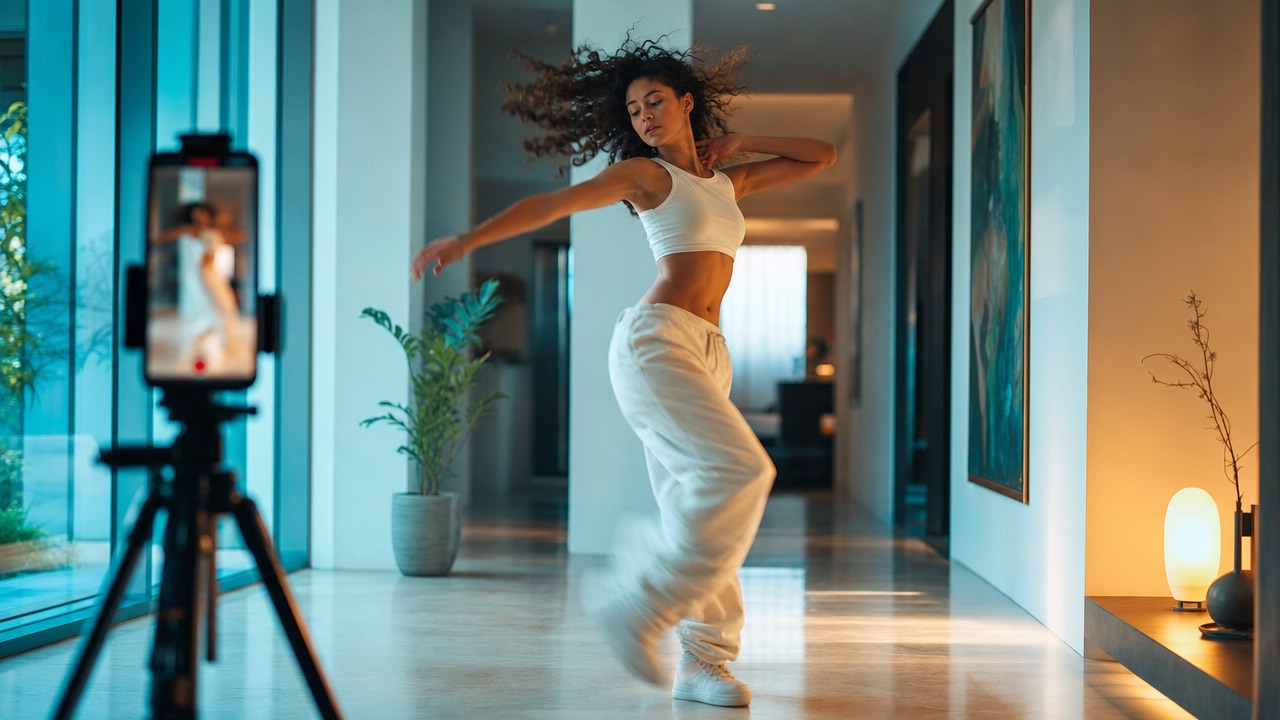
A fictional adult dancing in a bright modern hallway with a phone on a tripod in the foreground

Two ways in

Image mode keeps the person from your photo. Text mode builds the performer and scene from your description.

One clear output

A ten-second vertical MP4 at 720p. Silent by design, so you choose the audio licence.

A real preview

The free preview is a full generation, not a stock sample. Judge the result before you pay.

How it works

  1. 01

    Choose image or text

    Use a photo when the person matters. Use text when the scene matters.

  2. 02

    Add one direction

    Keep, change, scene, light. One short paragraph is enough.

  3. 03

    Create a free preview

    Check the face, costume and motion before you unlock the file.

  4. 04

    Unlock and publish

    Download the 720p MP4, add licensed audio and label the post.

How the generator works

The studio sends your photo or prompt through a moderation check, then starts a Seedance 2.0 generation. A licensed hallway dance clip supplies the motion reference. The result is stored and shown in My videos.

Only one generation runs per account at a time. A tested standard generation took about ten minutes, but queue time varies. You can leave the page and return later.

  • Input: one photo (JPG, PNG, WebP, up to 10 MB) or a text prompt
  • Motion: one fixed licensed hallway dance reference
  • Output: silent 720p MP4, 9:16, about ten seconds
  • Status: on-site only; no completion email

Image mode

Use image mode when the person matters. The photo guides the face and appearance. A short direction can change the atmosphere, the background or the costume details.

The best photos are sharp, evenly lit and front-facing. Avoid group photos, heavy filters and anything that hides the eyes.

  • One consenting adult
  • Face clearly visible
  • Plain background
  • No group or pet photos

Text mode

Use text mode when you want a fully generated performer or a scene you cannot photograph. Describe the adult, the costume, the location, the light and one camera move.

Text mode is also the fastest way to test a trend before you buy a costume. Generate the idea, then decide whether the real outfit is worth it.

  • At least ten characters
  • One adult performer
  • One scene and one camera move
  • No real-person likeness or copyrighted character

Publishing the clip

The file is silent. Add music from the platform's licensed library or your own audio. Use the AI-generated content label on TikTok, Instagram or YouTube.

Keep the original MP4 as your master. If you post a series, keep a consistent caption format and one visual anchor so the clips feel related.

  • Add licensed audio in TikTok, Reels or Shorts
  • Use the AI content label
  • Keep the master file
  • Do not imply a real person's endorsement

Pricing

The first watermarked preview is free. Full files start at $9.90 for one video, $19.90 for three and $29.90 for five. The monthly plan is $29.90 for ten videos per billing month.

One-time credits do not expire. Monthly allowances reset each cycle. Failed generations return their reserved credits.

  • 50 credits = one default video
  • One-time packs from $9.90
  • Monthly plan $29.90 for ten videos
  • Pricing page is the source of truth

Try it yourself

One free watermarked preview per account. Full 720p MP4 unlocks after purchase. Failed generations return credits.

Make your Toc Toc AI dance video

Your photo guides the appearance. The source clip guides the hallway movement.

Upload one photo

JPG, PNG or WebP · up to 10 MB

Choose a well-lit photo of one consenting adult. JPG, PNG or WebP; up to 10 MB.

Dance reference
What should change?
Extra direction (optional)

Only selected results appear in our gallery after review. Your input remains private.

$9.90/ 1 video

50 credits · 10 seconds

One-time packs and subscriptions are available. Failed jobs return their credits.

Your videos

Upload a photo or describe a scene, then create your video.

Questions people ask

Is the AI dance video generator free?

The first watermarked preview is free. The full 720p MP4 requires a paid pack or plan. One-time packs start at $9.90.

Can I use my own photo?

Yes. Image mode accepts one JPG, PNG or WebP photo of a consenting adult, up to 10 MB.

Do I need to film a dance reference?

No. The tool uses a fixed licensed hallway dance reference. You only provide the photo or the text description.

How long does a video take?

About ten minutes for a tested standard generation, though queue time varies. The status is shown on the site.

Why is there no audio?

A silent file lets you choose audio that is licensed for your account and region. Add music in TikTok, Reels or Shorts before publishing.

Related pages

Guides that go deeper

All guides

Share this page

AI motion can change facial details and body movement. The result is an interpretation, not a guarantee of an exact likeness or choreography.

Updated October 20, 2026